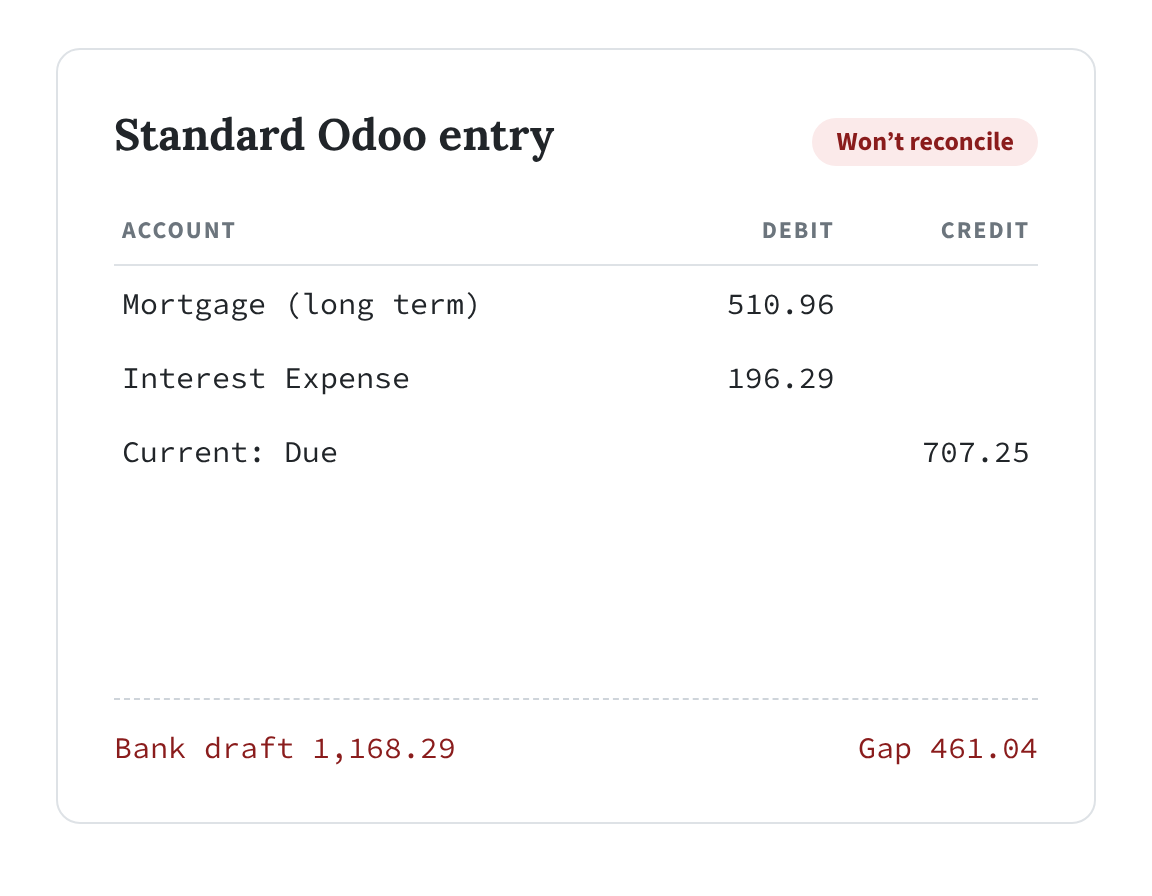
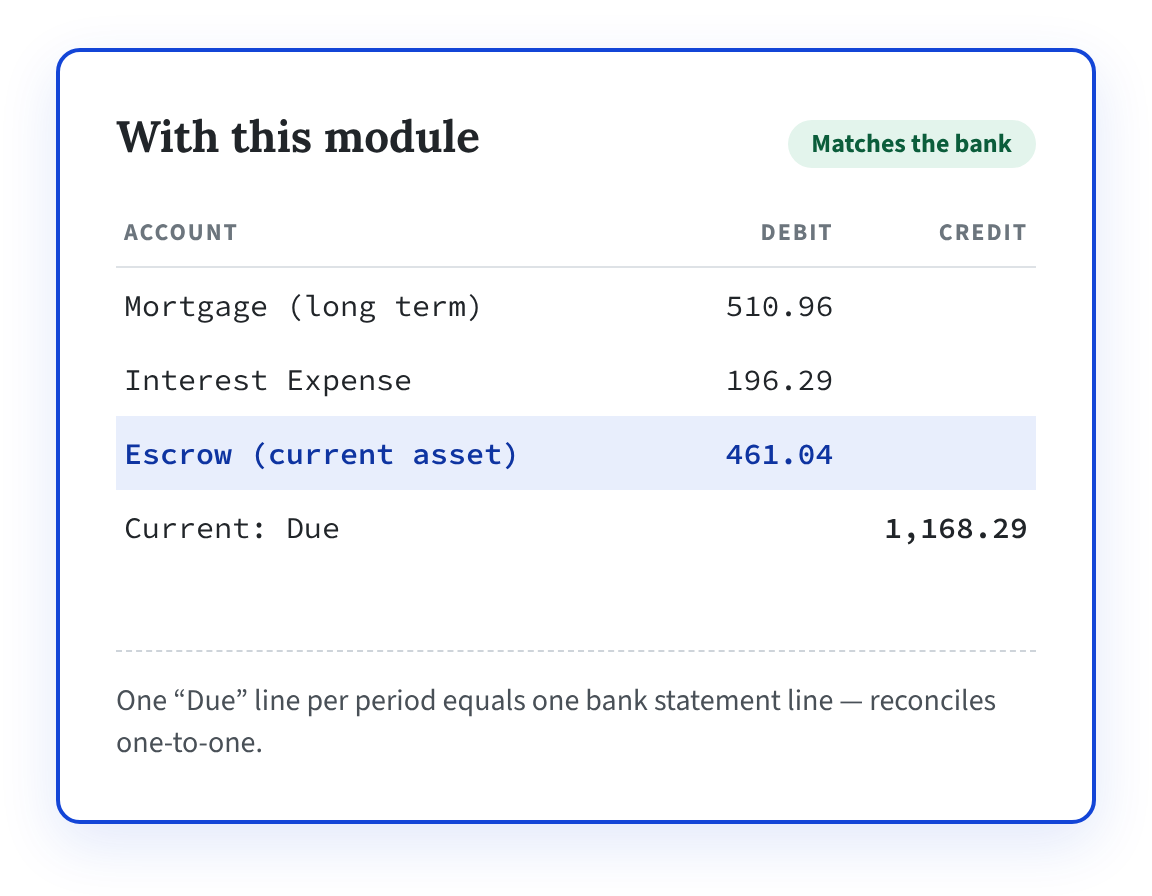
Your servicer drafts $1,168.29. Odoo books $707.25. The missing $461.04 of escrow is why the bank line won’t reconcile. This module books the whole payment — automatically.
THE PROBLEM
A mortgage payment is PITI. Odoo only books the P&I.
Odoo’s Loans Management app amortises principal and interest. A real mortgage draft also carries escrow for property taxes and insurance — and without it, the entry never equals the bank transaction.
FEATURES
Every loan entry, booked the way it really happens
🧾
Escrow on every P&I entry
A fourth line debits your escrow asset account and raises the “Due” credit to the full PITI amount.
📅
Effective-dated history
Apply each annual escrow revision from its start date. Earlier periods keep the amount that was really in force.
✅
A schedule that matches the ledger
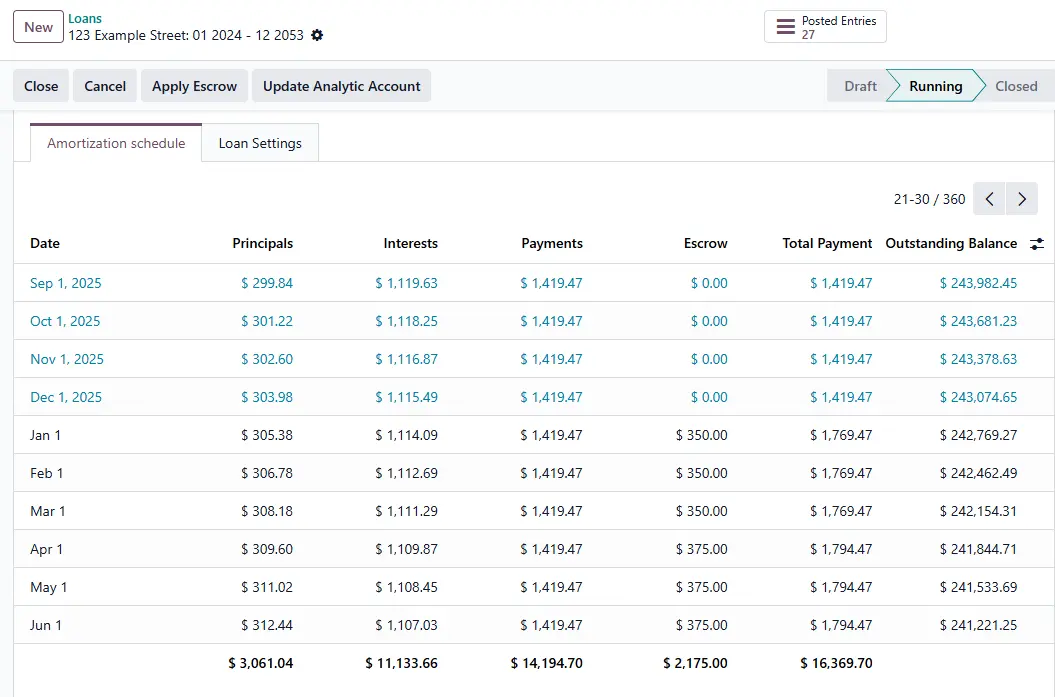
New Escrow and Total Payment columns on the amortization schedule show the real PITI figure.
🏷️
Analytic tagging, everywhere
Tag every line of every loan entry — P&I and both reclassifications — to a property, project or cost center.
🪙
One-click Absorb Rounding
Settles the cent residue that stops Odoo confirming longer-term loans, by adding it to the final payment.
🔄
Survives reset & recompute
Escrow and analytic settings are re-applied automatically whenever the loan is confirmed again.
HOW IT WORKS
Three fields. One button.
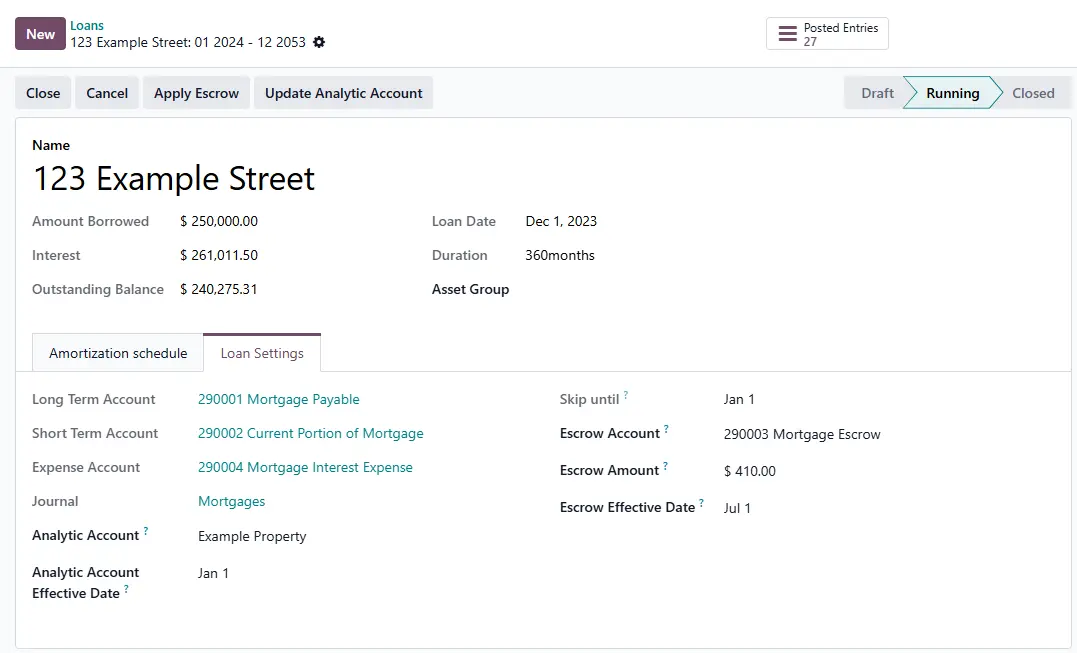
- Open the loan and go to the Loan Settings tab.
- Choose the Escrow Account (current asset) and enter the monthly Escrow Amount.
- Set the Escrow Effective Date - the first period it applies to.
- Press Apply Escrow. Done.
Analytic tagging works the same way: set the Analytic Account and its effective date, then press Update Analytic Account. Either order works.
ESCROW HISTORY
Escrow changes every year. Your history doesn't
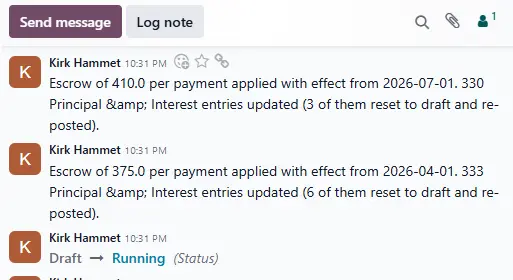
Servicers re-analyze escrow annually. Apply each revision from its effective date and the schedule steps up period by period — $0 → $350 → $375 → $410 — without restating a single earlier month.
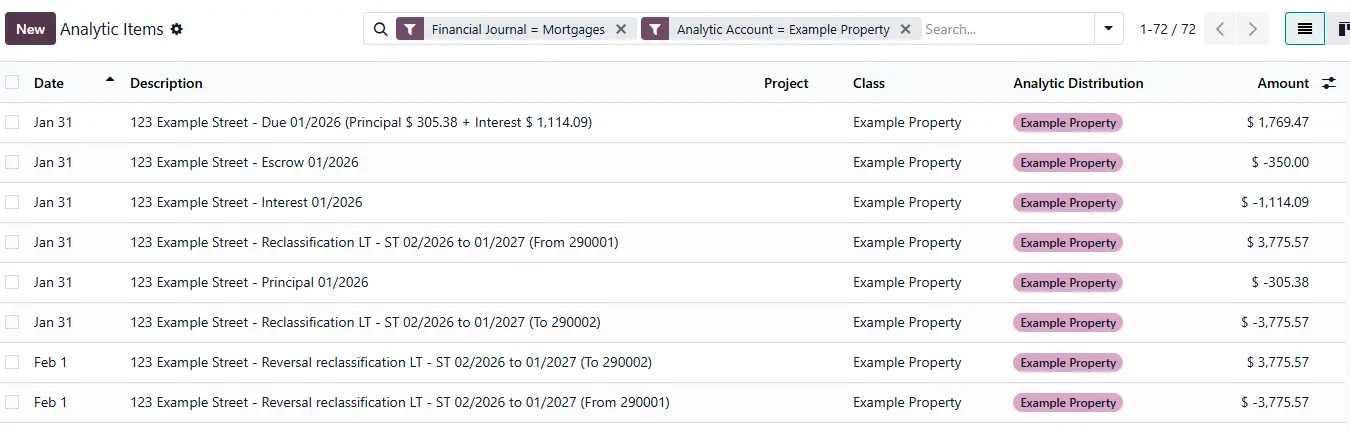
ANALTYTIC DISTRIBUTION
Debt service, reported per property
Odoo loans carry no analytic distribution, so a property portfolio can’t see debt service by property. One button tags every line of every entry the loan generates.
Analytic tags are editable on posted lines, so nothing is reset to draft and no posted debit or credit changes.
ALSO INCLUDED
Two rough edges in native Loans, smoothed
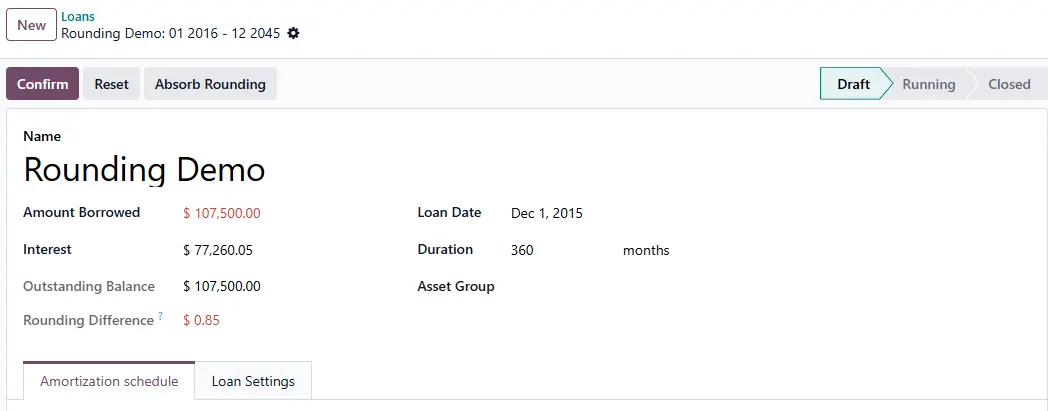
Rounding that blocks confirmation
On longer terms, per-period cent rounding leaves the principals a few cents off the loan amount — and Odoo refuses to confirm. The difference is shown on the loan; Absorb Rounding settles it into the final payment.
Work lost on recompute
Resetting a loan rebuilds its entries from scratch. Confirming now re-applies escrow and analytic automatically — no buttons to remember.
SAFE FOR YOUR BOOKS
Nothing happens silently
- Idempotent. Re-running with unchanged settings changes nothing — no churn on posted entries.
- Entry numbers preserved. Posted entries in range are reset, edited and re-posted under the same number.
- Always balanced. The escrow line and the “Due” credit are written together.
- Audit trail. Every run posts the amount, effective date and entry count to the loan’s chatter.
- Controlled access. Both buttons require the Accounting Manager group.
- Multi-company aware. Escrow accounts are scoped to the loan’s company.
Common Questions
No. It extends Odoo’s Loans Management app (account_loans), which is part of Enterprise only.
Applying escrow changes amounts, so any posted entry in the date range is reset to draft, updated and re-posted, keeping its original entry number. If a period falls behind a lock date, Odoo will refuse the change until the lock date is cleared. The analytic action never changes posted amounts; it only adds the analytic tag.
Enter the new monthly amount, set the effective date to the first period it applies to, and press Apply Escrow. Earlier periods keep the amount that was in force at the time. To remove escrow completely, set the amount to zero and apply again.
Odoo uses that column to calculate the amortization, so it stays as principal and interest only. The module adds Escrow and Total Payment columns beside it, so the schedule shows the full PITI payment and matches your general ledger.
The added fields and buttons are removed and the standard loan form keeps working. Escrow lines and analytic tags already in your books are ordinary journal items, so they stay. Uninstalling stops new ones being created; it doesn’t undo history.